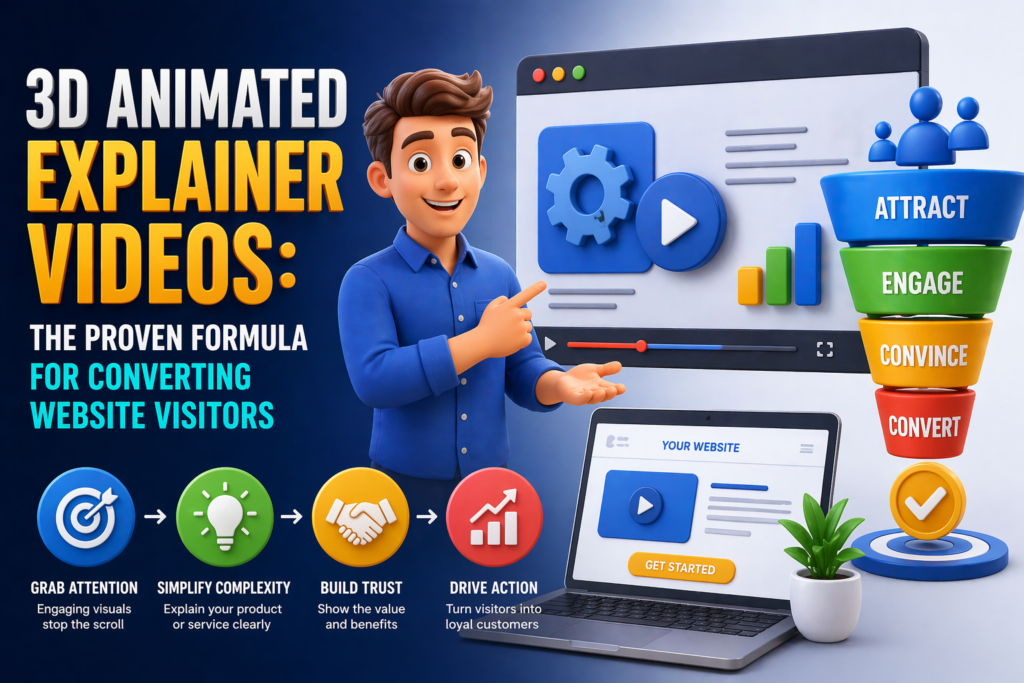
A visitor lands on your website. They have approximately seven seconds to decide whether to stay or leave. In those seven seconds, your headline, your hero image, and — if you have one — your video will determine whether they continue down the page or hit the back button and give that attention to a competitor.
For businesses selling anything complex, novel, or visually compelling, a 3D animated explainer video on that landing page is one of the most impactful conversion investments available. Not because video in general converts well — though it does — but because 3D animation specifically can communicate product value, functionality, and differentiation in the first five seconds of playback in a way that no other format matches.
This article explains why 3D animated explainer videos work, what the proven structural formula looks like, how to deploy them for maximum conversion impact, and what distinguishes the productions that move metrics from those that simply look impressive.
Why 3D Animated Explainer Videos Convert

Explainer videos — short animations that explain what a product or service does, how it works, and why it matters — have a well-documented history of improving conversion rates on landing pages. The addition of 3D animation to the format produces specific conversion advantages that standard 2D motion graphics or live-action video do not.
They Demonstrate Physical Products With Visual Authority
For any business selling a physical product, a 3D animated explainer can show the product in motion, from every angle, in context, demonstrating its key features with a visual precision that live-action video frequently fails to achieve. A camera operator capturing live footage of a product is constrained by physics. A 3D animator is not. The product can be sectioned to reveal its interior. Its components can be separated and individually highlighted. Its mechanism of action can be made visible to the eye. This demonstrative capability directly reduces purchase uncertainty — the primary driver of landing page abandonment.
They Make Abstract Products Concrete
For software, professional services, SaaS platforms, and other non-physical products, 3D animation can transform abstract value propositions into visual narratives that visitors actually understand. When a potential customer watches a 3D animated sequence that visually represents what your software does — data flowing between systems, a workflow simplifying, a problem resolving — they grasp the value faster and more completely than they would from reading a feature list or watching a screen recording.
They Establish Production-Quality Brand Credibility
A high-quality 3D animated explainer on a landing page signals that the company behind it is serious. This credibility signal matters most in the B2B context, where a visitor’s unconscious quality assessment of your brand’s visual communication directly influences whether they trust you enough to submit a lead form. A cinematic-quality 3D animation on your homepage says ‘we are an established, invested, professional operation’ in a way that stock photography and amateur video explicitly cannot.
| The most effective explainer videos do not explain everything. They explain the one thing that, once understood, makes the visitor’s decision to take the next step obvious. |
The Proven Structure of a High-Converting 3D Explainer
Conversion-focused 3D animated explainers are not just shorter versions of brand films. They follow a specific structural logic built around the visitor’s decision-making process — addressing doubt, building understanding, and directing action in sequence. Here is the framework.
The Hook (0–5 seconds): Capture or Lose
The first five seconds determine everything. In an autoplay environment — where the video starts when the visitor arrives — you have an opportunity to hook them before they consciously decide whether to watch. In a click-to-play environment, the thumbnail and first frame must be compelling enough to earn the click.
Effective 3D explainer hooks lead with the product in motion, a striking visual sequence, or a direct statement of the problem being solved. They do not open with a logo, a company name, or a tagline. The visitor does not yet care about your brand identity — they care about whether this thing is relevant to them.
The Problem (5–20 seconds): Make the Pain Visible
Before explaining your solution, briefly acknowledge the problem your product solves. This validation — ‘we know this is your situation’ — creates the emotional resonance that makes the solution feel relevant. In 3D animation, this section is an opportunity for visual storytelling: depict the problem state visually, not just verbally. A frustrated character, a broken process, a messy workflow, an absent solution — these visual representations of pain land faster than spoken or written descriptions.
The Solution Introduction (20–40 seconds): What It Is
Introduce your product or service clearly and visually. In 3D animation, this is the moment where the product appears — and if it is a physical product, it should appear dramatically, fully rendered, from an angle that makes its quality immediately apparent. For abstract products, this is where the visual metaphor for your solution enters the frame.
Keep the language simple. One sentence. The visitor is not ready for feature detail yet — they are still deciding whether this is worth their next 60 seconds.
The Demonstration (40–80 seconds): Show the Core Value
This is the engine of the explainer. Demonstrate the two or three most compelling aspects of what your product does — not a comprehensive feature tour, but the moments that most clearly show why your product is better than the alternative. In 3D animation, this section leverages the format’s unique capabilities: cut-away views, mechanism animations, before-and-after sequences, 360-degree reveals.
One demonstration per feature. Move quickly. Show, do not tell wherever possible. The voiceover should add context to what is visible, not describe what the viewer can already see.
The Outcome (80–100 seconds): Show the After State
Before the call to action, show the viewer what their situation looks like after they have used your product. The happy customer. The solved problem. The streamlined process. The achieved goal. This outcome visualization does important emotional work — it connects the product’s features to the viewer’s desired future state. In 3D animation, this is an opportunity for a moment of visual payoff: a product working beautifully, an environment transformed, a character expressing satisfaction.
The Call to Action (final 10 seconds): One Next Step
End with a single, clear call to action. Not three options. Not a list of features to revisit. One action: book a demo, start a free trial, get a quote, contact us. The CTA should appear on screen as text simultaneously with the voiceover delivery — reinforcing it visually. The final frame should hold the CTA on screen, giving the viewer time to act.
Optimal Length by Use Case
| Use Case | Recommended Length and Rationale |
| Website landing page hero | 60–90 seconds. Long enough to complete the structure above; short enough to maintain attention through to CTA. |
| Product detail page | 30–60 seconds. Visitor is already product-aware; focus on demonstration and differentiation. |
| Paid social (mid-funnel) | 15–30 seconds. Hook + solution + CTA only. Full explainer logic compressed. |
| Sales deck or investor pitch | 90–120 seconds. Audience is captive; more detail is appropriate and expected. |
| Trade show or event display | 30–45 seconds looping. No CTA needed; awareness and interest are the objectives. |
| Email campaign | 15–20 second GIF or still frame driving to full video on website. |
The Most Common Mistakes That Kill Explainer Conversions

The structural formula above is well established. The businesses that fail to see conversion impact from their explainer videos typically make one or more of the following errors.
- Starting with the company, not the problem: Visitors do not care about your founding story in the first five seconds. Lead with relevance — the problem or the product — not with brand identity.
- Explaining too much: The instinct to include every feature, use case, and benefit in one video is understandable and wrong. A 3-minute explainer that covers everything converts worse than a 75-second explainer that covers the three things that matter most. Ruthlessly edit.
- Mismatching the video to the audience’s stage: An awareness-stage visitor needs a different video than a consideration-stage lead. The landing page explainer should be calibrated to the visitor arriving via the traffic source you are driving. A visitor from a branded search is further along than a visitor from a broad social ad.
- Treating voiceover as the primary communication channel: In 3D animation, the visual is the primary channel. The voiceover should add context, not describe what is already visible. A viewer who turns off the sound should still understand the core message from the visuals alone.
- Autoplay with sound: Autoplay with audio is the fastest way to create a negative first impression on a landing page. Autoplay with muted video and optional audio, or click-to-play with a compelling thumbnail, consistently outperforms forced audio.
Measuring the Impact of Your Explainer Video
Conversion impact from an explainer video should be measurable within the first 30 days of deployment on a page with meaningful traffic. The following metrics form the core measurement framework.
- Play rate: What percentage of visitors who see the video choose to play it? A low play rate indicates a thumbnail or placement problem, not a content problem.
- Completion rate: What percentage of viewers watch to the end? Drop-off analysis reveals which section is losing viewers — use this to diagnose structural problems.
- Landing page conversion rate before vs. after: The core metric. Compare the page’s conversion rate in the 30 days before and after deploying the video, controlling for traffic source and volume.
- Time on page: Visitors who watch the video will spend more time on page. An increase in average session duration on the page is a secondary positive signal.
- CTA click rate from video viewer segment: If your analytics allow it, compare conversion rates between viewers who watched the video and those who did not. This is the most direct attribution possible.
Your Explainer Video Is a Commercial Asset, Not a Creative Exercise
The most important mindset shift for businesses commissioning 3D animated explainer videos is treating them as commercial instruments, not creative projects. A successful explainer is not one that looks impressive — it is one that moves the metric it was built to move. Every structural and creative decision in the production should be evaluated against that criterion.
The structural formula in this article is not a creative constraint — it is a conversion architecture. Businesses that follow it, test it, and iterate based on real performance data consistently see better returns than those that commission animation based on aesthetic instinct alone.
3D Animate US produces 3D animated explainer videos for businesses across the United States — scoped to convert, structured to perform, and built to serve the specific commercial objective of each brief. Contact our team to discuss your project.